在电脑上安装完anaconda后
安装Nbextensions扩展插件,以管理员的身份打开Anaconda Prompt,输入以下代码:conda install -c conda-forge jupyter_contrib_nbextensionsconda install -c conda-forge jupyter_nbextensions_configurator
在过程中如果遇到有提示输入y就行。
然后输入jupyter notebook进行启动,启动完成后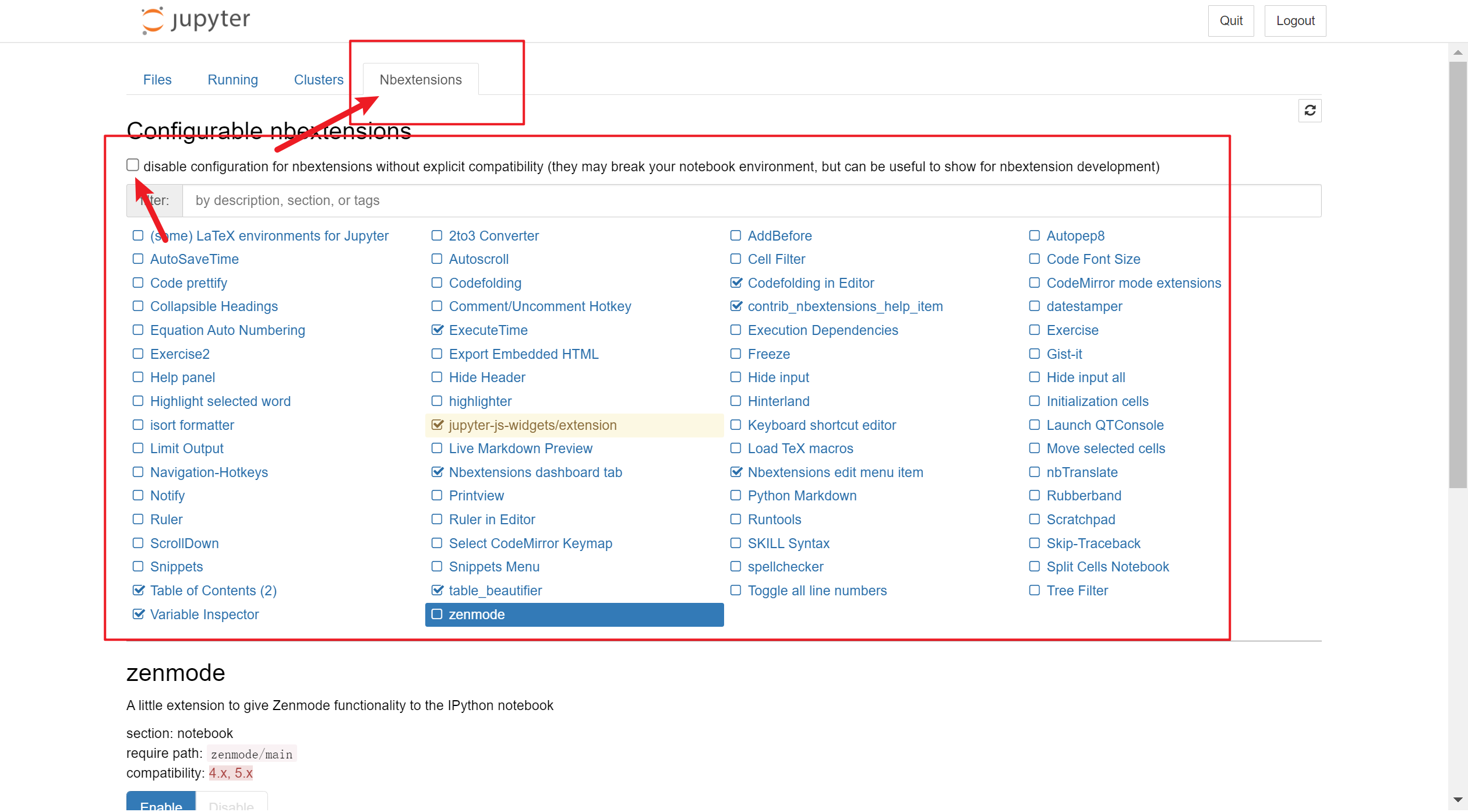
如果点击Nbextensions分类后只有三个插件,按顺序在Anaconda Prompt中执行以下代码:
pip uninstall jupyter_contrib_nbextensions
pip uninstall jupyter_nbextensions_configurator

pip install jupyter_contrib_nbextensions
jupyter contrib nbextension install --user

pip install jupyter_nbextensions_configurator执行完成后重新启动jupyter notebook。
如果没法选择插件,将下面箭头所指框中的勾取消就可以选择了。